
Chromebook Not Supported
Wilmington University advises against purchasing or using Chromebooks for online learning.
Chromebooks are not compatible with the following software/service used for online or in-class learning:
- Kaltura, used in coursework for video and screen recordings. You may not be able to record screen capture when needed for some courses if using a Chromebook.
- Microsoft Office: Chromebooks do not support installation of the full desktop versions of Microsoft Office. However, faculty and students can access Microsoft 365 tools—including Word, Excel, PowerPoint, and OneNote—through web-based apps
- ALEKS PPL Math Placement Assessment: The ALEKS math placement assessment for entering undergraduate students uses a version of Respondus LockDown Browser that is not compatible with Chromebooks. Students who do not have an alternative computer with webcam may contact the Student Success Center for assistance.
- SmartNotebook software, used in a limited number of courses in the Education programs.
- ExamSoft Examplify Test Taking Software, used in select assessments in the School of Law, will not run on Chromebook.
What if I only/already have a Chromebook?
Limited workarounds are available for those who have no other option but to use a Chromebook.
- For Kaltura
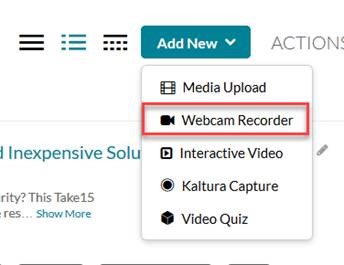
- Recording video with a webcam: students can use the in-browser HTML5 webcam recorder.
- Screen recording: you may use Zoom to record your screen, as demonstrated in the video below. Check your WilmU email for the Zoom recording URL to share back to Canvas assignment.
- Recording video with a webcam: students can use the in-browser HTML5 webcam recorder.